Client’s board asks “so are we secure?” and your QBR deck is 40 slides of patch compliance. We’ve all been there.
No signup. The demo opens in a new tab.

Left: slide 37 of 40. Right: one client in one view, from the Draxis demo tenant.
Vendor here. Yes, this is an ad. I spent 25+ years running security programs, and turning tool output into “what this means for the business” never got easier. So I built Draxis.
It reads the controls you already manage across client tenants, pulls KRIs, and shows exposure and trend for each client in one view. Not GRC. No questionnaires, no fluff.
 Nick Kathmann, founder of Draxis
Every client in one view, before the QBR starts
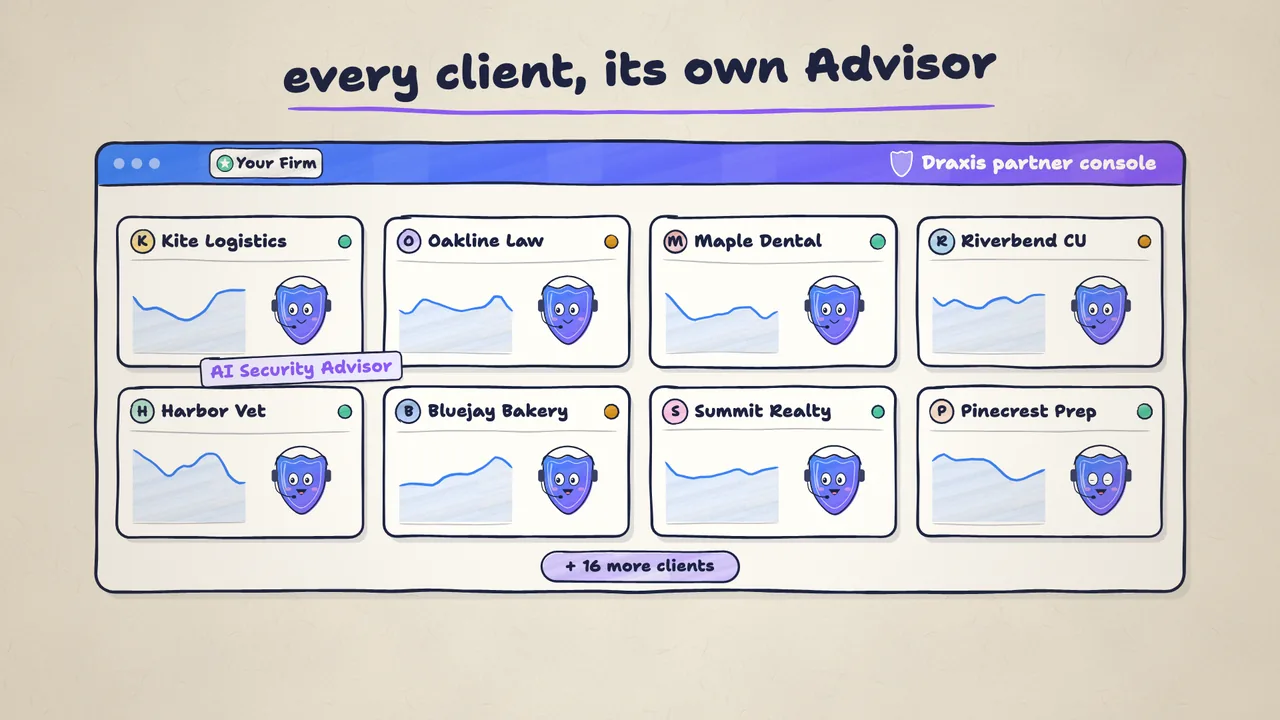
The partner console puts every client tenant side by side, each with its own trend line. You see who’s drifting and who’s heading into a renewal weak, and you walk in with the answer instead of the question.
It reads what you already manage
Draxis gets read-only API access to EDR, SIEM, CSPM, identity and vuln scanners across your clients. 28 native connectors, plus MCP and a REST API, cover the stack. Nothing gets pushed to client endpoints.
One click into any tenant, on the record
Impersonate a client tenant straight from the portfolio view. Every session is audited.
An AI Security Advisor for each client
Each tenant gets its own Advisor with its own memory of that client, which makes it a force multiplier for your practice.
A separate database for every tenant
Client data doesn’t share a database, and every security event lands in an immutable audit log.
Priced per client tenant, not per seat
Volume tiers kick in as your client count grows. White label is available at the MSSP tier, so clients see your name on the Advisor and the reports. The Partner Program details cover the rest, and we’ll go through numbers on the call.
Questions you were going to ask in the comments
Is this a GRC tool?
No. It doesn’t manage controls and it doesn’t run questionnaires. It reads the controls you already manage and shows you what’s drifting in each client.
Do my techs have to deploy anything?
No agents. Draxis connects with read-only API access to the EDR, SIEM, CSPM, identity and vuln tools you already run for each client.
What if a client runs a tool you don’t connect to?
MCP and a REST API cover anything outside the 28 native connectors, and there’s a push-only option with zero tool access.
How fast can I have something to show a client?
Under 48 hours from the first read-only connection: a populated Risk Register and a live picture of that client’s exposure.
Bring one client’s last QBR deck.
The call is thirty minutes. You show us what you’re presenting today, and we tell you straight whether Draxis reads that client’s stack. You get a Zoom link and a calendar invite the moment you book. Rather ask in public? The AMA is in the comments on the post.
Rather have someone walk you through it? Book a 60-minute guided demo.
Not ready for a call?
Tell us what the demo didn’t answer and we’ll reply by email.
Thanks. We’ll reply to .
Want it sooner? Book a 30-minute intro call instead.